

How to apply coupon on Desktop
Follow these simple steps to redeem your coupon on our desktop platform.

STEP 1
Step 1: Select your course
Browse through our collection and select the course you wish to enroll in. Click on the 'Buy' button.
STEP 2
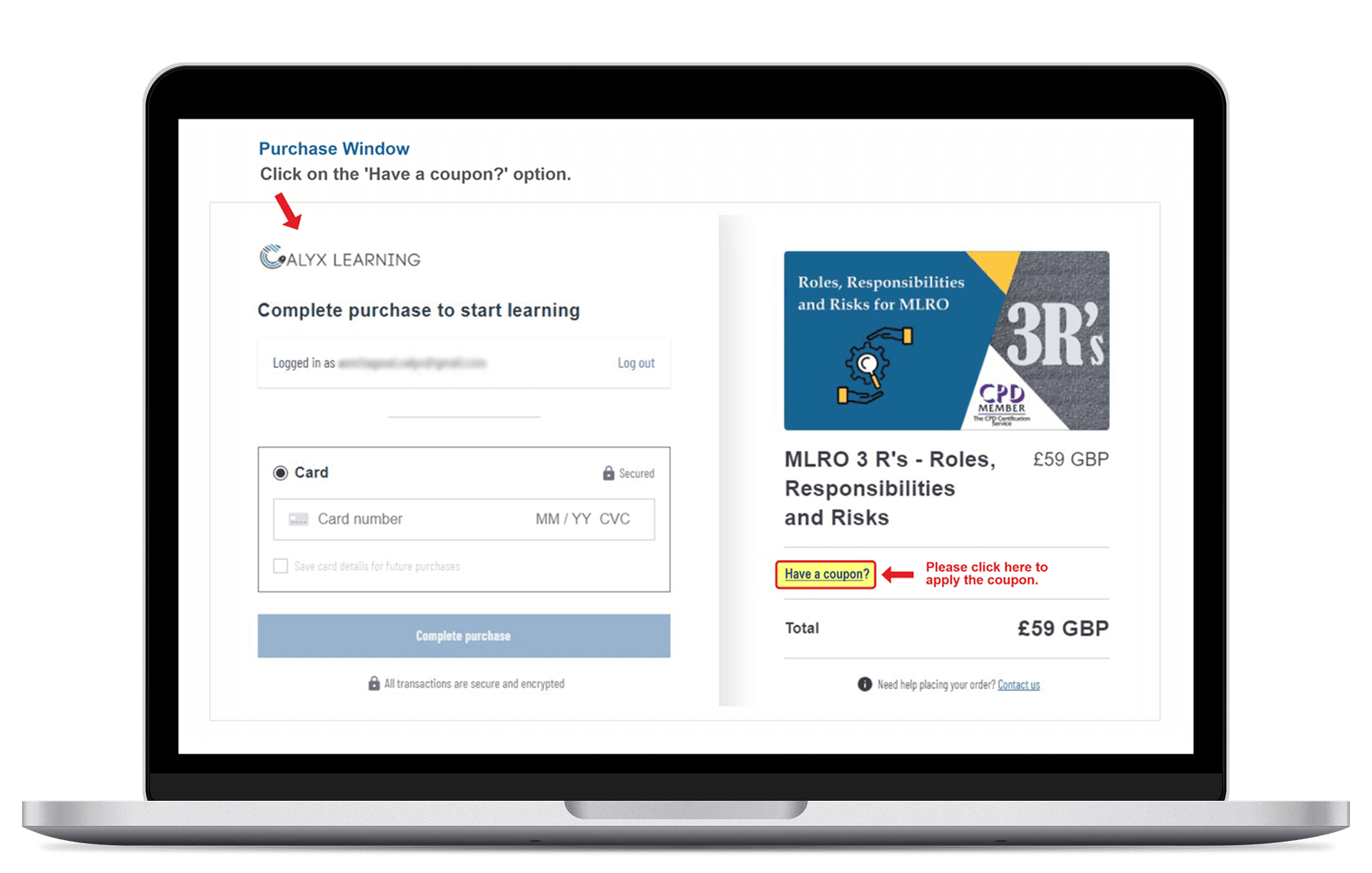
Step 2: Click 'Have a coupon?'
On the checkout page, look for the 'Have a coupon?' link just above the total price.
STEP 3
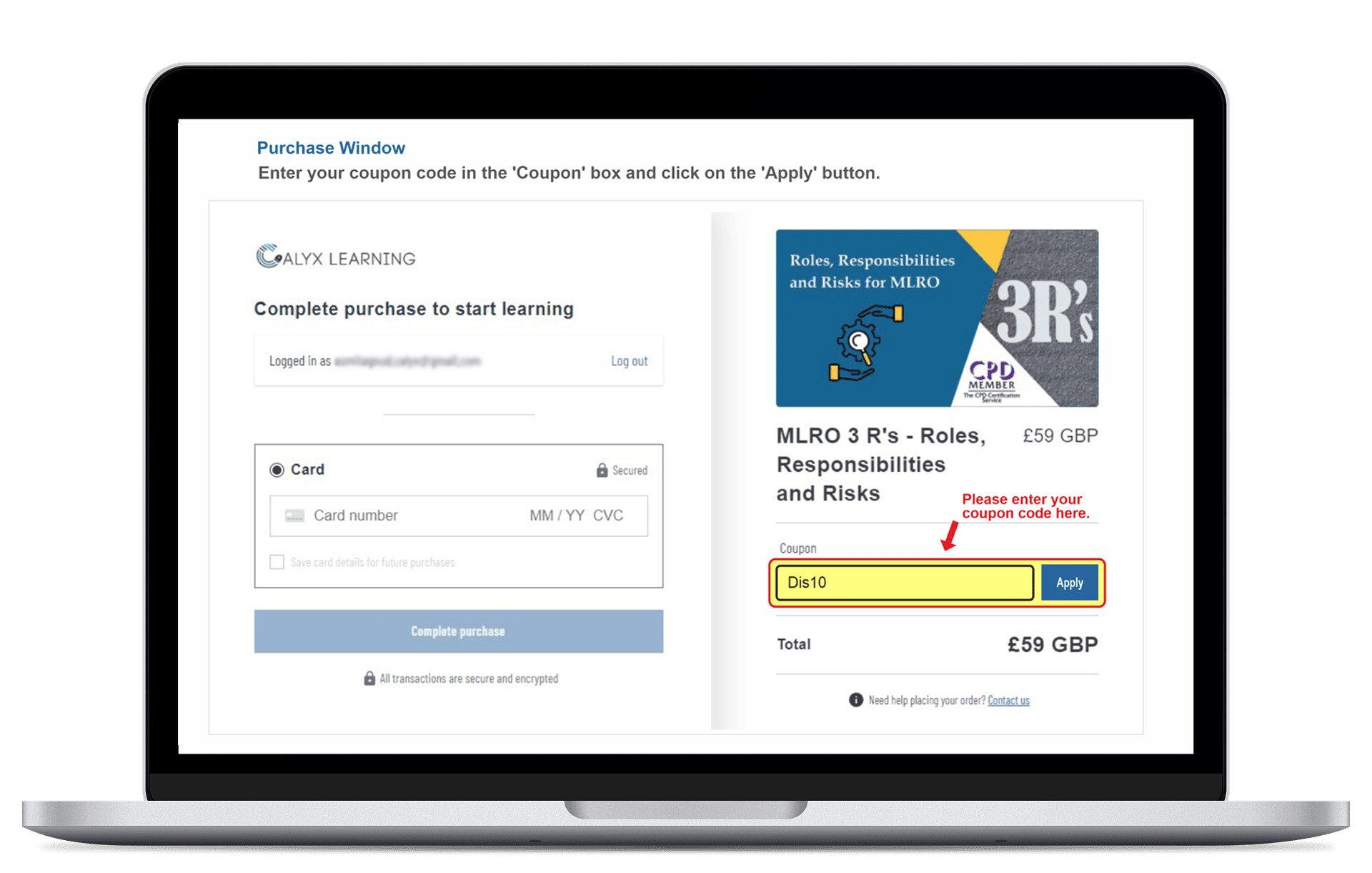
Step 3: Enter your code
Enter your coupon code in the text box and click 'Apply'.
STEP 4
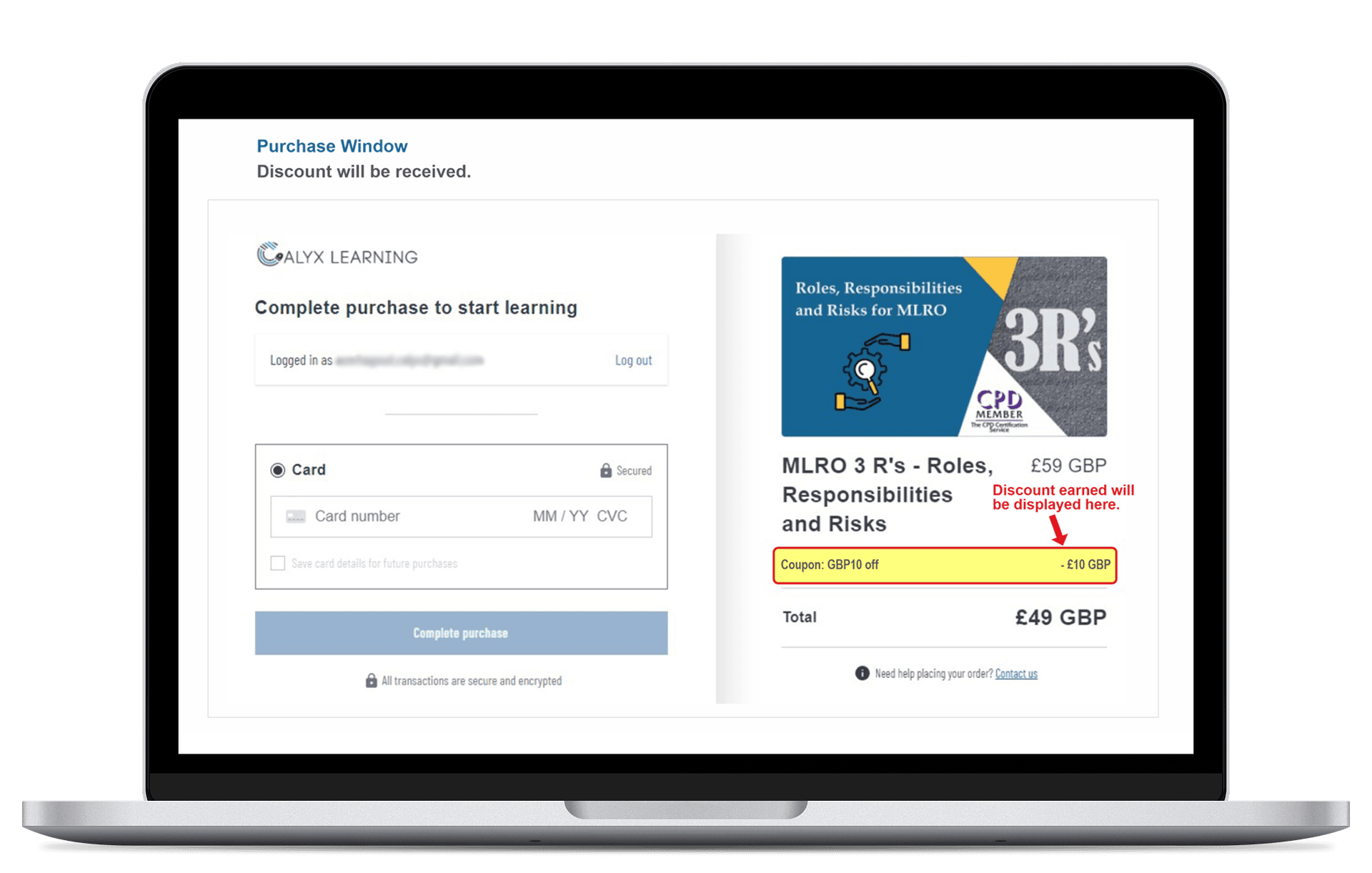
Step 4: Enjoy your discount
Your discount will be applied immediately. Complete the checkout process to start learning!